Step 1- Getting an Account
In this step
Request your CRCD account and Resource Allocation, and connect to the PittNet VPN so you can reach the clusters. Next: Step 2 — logging in.
Request an account and allocation
Access to the CRCD Ecosystem requires a CRCD account and an accompanying Resource Allocation. Active Pitt faculty, instructors, Emeritus faculty, and center directors are eligible to serve as Principal Investigators (PIs) and can request one using the One-time Startup Allocation webform in our service catalog. The startup allocation is no cost to PIs, provides 50,000 CPU core-hours on each cluster plus 5 TB of project storage, and is active for one year.
Students, postdoctoral fellows, and staff don't request an allocation themselves — a PI adds them to an existing allocation with the Add New User form. Pitt alumni and external collaborators can be granted access through the Sponsored Account mechanism. See the Getting Started overview for the full eligibility policy.
Connect to the VPN
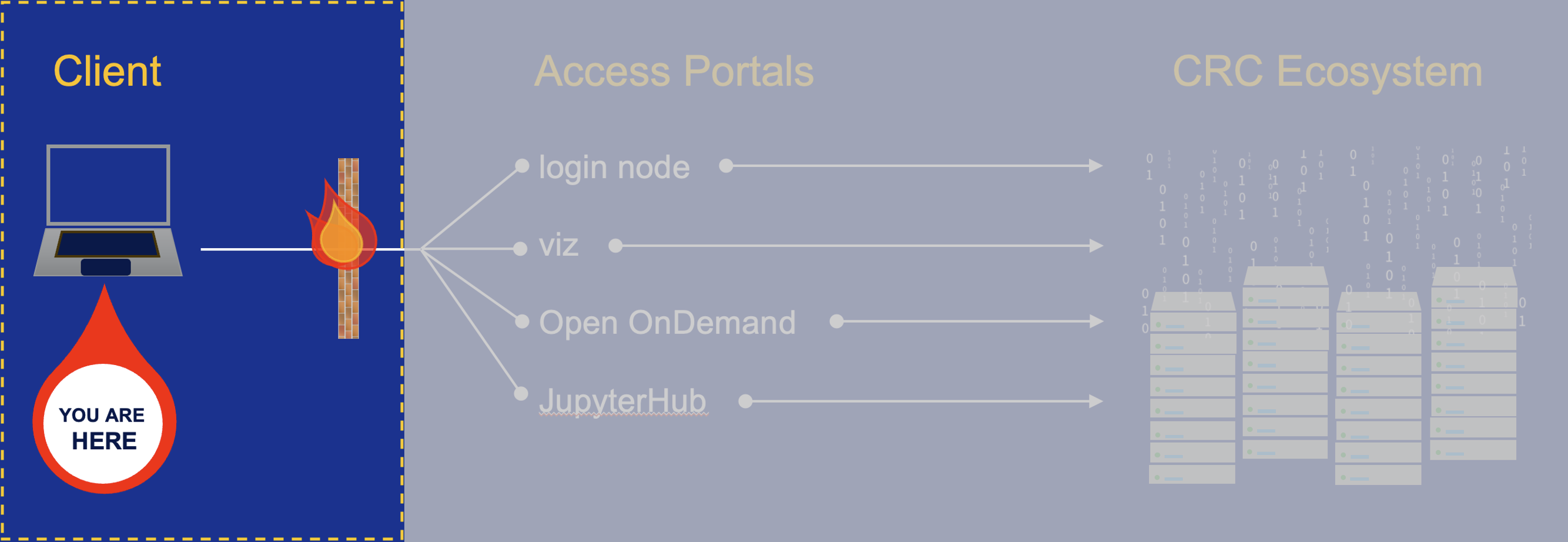
The CRCD Ecosystem is hosted at the Pitt data center and is firewalled within PittNet, so you must be on the University network to reach it. From off campus, connect using Pitt's VPN client, GlobalProtect, by following Pitt's VPN instructions.
Alternative access point: AVD
If the VPN remains non-functional after you've exhausted troubleshooting, you can use an Azure Virtual Desktop as a jump box to CRCD.
CRCD users on UPMC devices, please follow these instructions for connecting to the HSIT-AVD instance.
Accessing the CRCD Secure Research Environment (SRE)
The CRCD SRE can be accessed using a secured Azure Virtual Desktop. Only projects with an IRB approval or a data user agreement (DUA) requiring NIST SP 800-171 compliance can reside within this restricted environment.
A schematic of this part of the process is highlighted below.